Projects / Gradient Border CSS & Tailwind
What is Gradient Border?
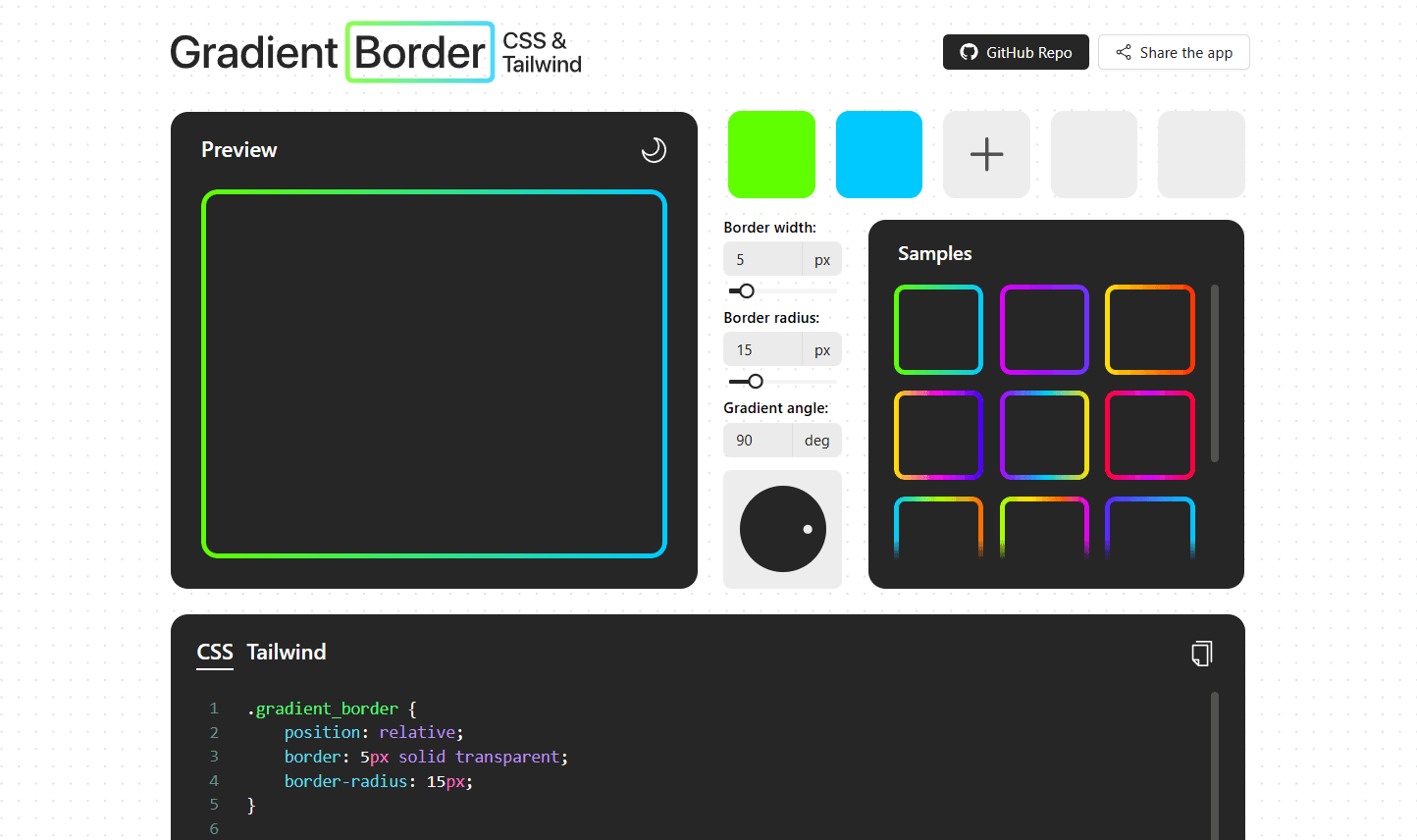
This is a tool for developers that simplifies the creation of multicolor borders on HTML elements, generating the code to be used both with Tailwind and in CSS. These styles can be applied to elements with transparent backgrounds and rounded corners, simulating a common border without affecting the overall design.
How the idea was born
The idea came about while working on my 2024 portfolio. At that time, I wanted to have dynamic borders with gradients that would draw and change color as you scrolled. After some research, I managed to do this with an SVG and animated paths using Framer Motion. But what if the borders were static? Was it possible to create a gradient directly with the CSS border property? I realized there was no native option to achieve this, and while there were many alternative approaches, most of them were either partial solutions or overly complicated. Although it wasn't a problem to solve for my portfolio (I had already solved it with the paths), the complexity of the topic lingered in my mind, and eventually, it led me to create Gradient Border.
Generate two containers, one above the other, with the upper one having the same color as the parent and the lower one with a
backgroundcontaining the gradient. Transparent backgrounds? Not supported:Use the
border-imageproperty. Very nice and simple code, but this disables theborder-radius:Create two
linear-gradientsconsecutively within the same element using thebackgroundproperty. The first is the gradient, and the second simulates a solid color that covers it. But this is exactly the same as the first case, and transparent backgrounds are excluded:Do too complex things with lengthy code. The result is effective, but I owe you an explanation for all of this:
The best solution
Although it may seem like I'm telling everything sequentially to build up to the final answer, this was actually my experience when researching the topic. The vast majority of approaches failed at very basic things or were overly complicated. Luckily, I didn't take long to find a better solution thanks to a video from the channel CodyHouse, which presented a quite elegant code:
First, the container is created with a transparent border and rounded corners. This container has a relative position, allowing a
::beforepseudo-element to be placed absolutely behind it.The
::beforepseudo-element replicates the parent's shape, inherits its properties, and adds a multicolor gradient. Using themaskproperty, the display of this gradient is restricted to only the borders, leaving the inside transparent. This couldn't be done directly on the first container, as the mask would make any internal elements invisible, which is why we use this pseudo-element as if it were a background.
This was the approach that convinced me the most, and I didn’t have to search much longer. At first, the app was going to be called just “Gradient Border CSS”, without the “Tailwind”, but since it was a library that was growing in popularity and one I was using more and more, I decided not to leave it out and included its translation. It's worth mentioning that not everything could be implemented directly due to Tailwind’s limitations, and it was necessary to resort to the style attribute of the HTML elements to apply the masks:
The app itself
Once the approach was defined, there was only one small detail left: building an application around it. This was a case where I couldn’t be a purist, because for the general layout, I wanted to use Tailwind and Shadcn, but to show a preview of the results, I preferred to use the CSS solution instead of my Tailwind translation. Additionally, the Ant Design library offered a ColorPicker that I couldn’t pass up, and to display the resulting code in an appropriate format, I needed to implement CodeMirror. Honestly, I don’t see a big issue with having a UI library mishmash like this, as long as everything served a purpose and the final result maintained a coherent design line.
The app is always in light mode, but it has a box to display results that can switch between light and dark to see how the gradient looks in both cases.
You can select from two to five colors to create the gradient (nothing that can't be expanded by understanding a bit of the code provided at the end).
The inputs have sliders and a wheel to improve accessibility. I adjusted the slider ranges to reasonable values, but in the inputs, you can type numbers outside of those limits.
There is a sample drawer that, honestly, I included not for functionality but to complete the overall design. Sometimes features are born this way, what can you do?
Finally, you can copy the resulting code, both in CSS and Tailwind. I had to customize the CodeMirror window quite a bit to make it fit the general design, but the final look of the layout was totally worth it.